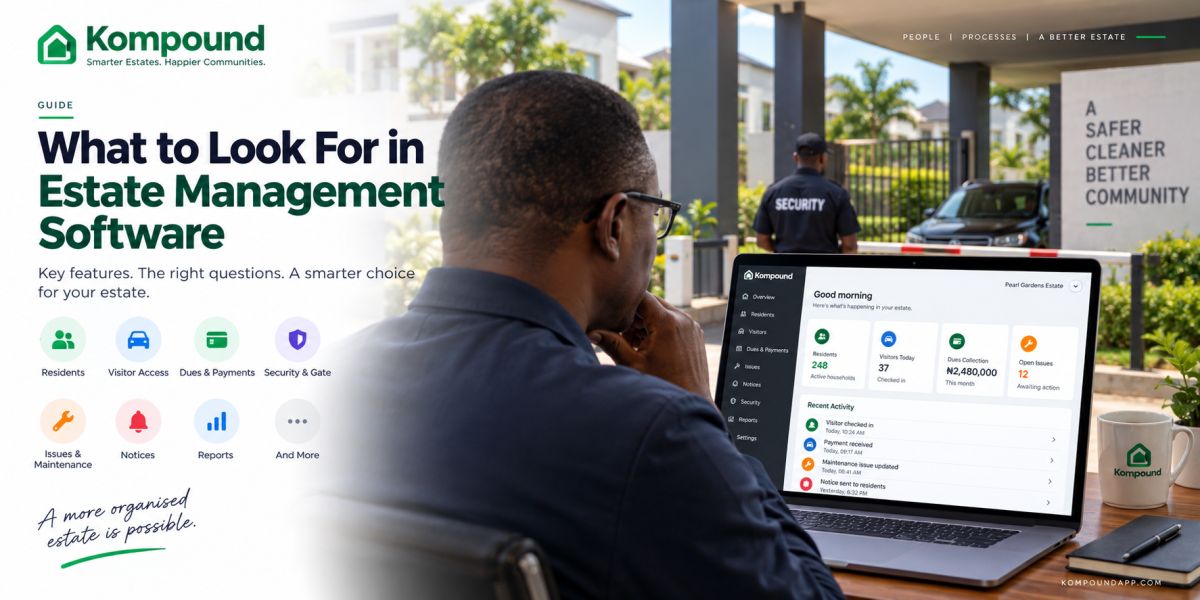
Choosing estate management software is not about finding the platform with the longest feature list.
You need to know whether it will actually make your estate easier to run.
That means asking practical questions.
Can your residents use it without constant help?
Can your gatemen verify visitors quickly?
Can you see who has paid their dues?
Can you still run the gate when the internet goes down?
Can a new EXCO take over without losing records?
Can you get support when something breaks?
Those questions matter more than impressive dashboards.
If you are comparing estate management software in Nigeria, here is what you should check before you commit.
Start with your estate's actual problems
Before you compare software, write down what is currently causing you the most work.
You may be dealing with:
- Visitor calls at the gate
- Poor dues collection
- Payment reconciliation problems
- Resident records spread across spreadsheets
- Complaints lost in WhatsApp
- Poor communication
- Security records that are difficult to review
- Manual receipts
- Weak handover between EXCOs
- No clear maintenance history
Do not begin with:
> “Which software has the most features?”
Begin with:
> “Which problems are we trying to solve?”
That one question can save you from paying for technology your estate never uses.
1. Check whether residents will actually use it
This should be one of your first tests.
A technically powerful platform is not useful if residents find it frustrating.
Ask to see the resident experience.
Then try the common actions yourself.
Can you:
- Create a visitor pass quickly?
- Check your dues?
- See previous payments?
- Receive estate notices?
- Report a problem?
- Update relevant account details?
- Understand the navigation without training?
Do not let the salesperson operate everything during the demo.
Ask for the phone.
Try it yourself.
If you need several explanations to perform a basic task, your residents may struggle too.
Read next: Residents App: What Residents Actually Use It For.
2. Test the gate experience
The gate is one of the hardest places to use software badly.
Your gatemen may be working:
- At night
- During rain
- In bright sunlight
- With vehicles waiting
- While several visitors arrive together
Your gate system should be simple enough to operate under pressure.
Test how security verifies a visitor.
Ask:
- How many steps does it take?
- Does the guard need to type much?
- Is approval obvious?
- Is rejection obvious?
- Can the guard see whether a code has expired?
- Can entry and exit be recorded quickly?
- Can the system show who approved the visitor?
A visitor-management process that takes too long will eventually be bypassed.
Your security software must work at the speed of your gate.
Read next: Estate Management App for Gatemen.
3. Ask exactly what happens when the internet fails
Do not skip this.
A software demo usually happens under perfect conditions.
Good Wi-Fi.
Full battery.
No traffic at the gate.
Real life is different.
Ask the provider:
> “What still works when the internet is unavailable?”
Then ask them to demonstrate it.
Do not accept “offline capable” as enough.
You need to know:
- Can already-approved visitors still be verified?
- Can security record entry?
- Can the gate continue operating?
- What information is stored locally?
- What synchronises when connectivity returns?
If your estate relies heavily on visitor access, this is one of the most important questions you can ask.
4. Look closely at dues and payment tracking
If your estate collects service charges, levies or regular dues, the software should make financial records easier to understand.
You should be able to determine:
- What each property owes
- What has been paid
- What remains outstanding
- Whether part payments are allowed
- Which charge a payment belongs to
- What period the payment covers
- Whether a receipt or payment record exists
Your treasurer should not need to search through transfer screenshots to confirm payments.
Ask the provider to demonstrate a full payment journey.
For example:
Create charge → resident sees charge → resident pays → payment appears in management records → balance updates.
You should see the entire process.
5. Check whether financial records can be reconciled
A payment showing as “successful” inside an app is not the end of the accounting process.
Your estate should still be able to reconcile collections against its actual financial accounts.
Ask:
- Can you export payment information?
- Can you identify transaction references?
- Can you review charges by period?
- Can you see outstanding balances?
- Can you separate different levies?
- Can you produce records for your AGM?
The easier those questions are to answer, the easier your treasurer's job becomes.
6. Check how complaints and maintenance are handled
If residents currently report faults in WhatsApp, ask the software provider to show you the alternative.
A useful system should let you move an issue through a clear process.
For example:
Reported → assigned → being handled → resolved.
You should be able to see:
- What was reported
- Who reported it
- When it was reported
- Who is responsible
- Current status
- What action was taken
- Whether the issue has been closed
That gives you a maintenance history instead of a collection of forgotten messages.
7. Check how official communication works
Your estate may continue using WhatsApp.
That is fine.
But important notices should not depend entirely on a group chat.
Ask whether the software lets you send and retain official notices such as:
- AGM announcements
- Security alerts
- Planned maintenance
- Water shutdown
- New estate rules
- Service charge reminders
- Emergency information
You want residents to have a reliable place to find important information again.
8. Check permissions carefully
Not every user should see everything.
Your security officer does not need access to the estate's full financial records.
A resident should not have administrator access.
A committee member may need different access from the treasurer.
Ask whether the software supports role-based permissions.
You may need different access for:
- Residents
- Gatemen
- Estate manager
- Treasurer
- Secretary
- Chairman
- Facility manager
- Other administrators
Clear permissions reduce both mistakes and unnecessary exposure of resident information.
9. Ask who owns your estate data
This is one of the most important questions and one of the most ignored.
Ask:
> “If we stop using your platform, what happens to our data?”
Then ask:
- Can you export resident records?
- Can you export payment records?
- Can you retrieve visitor history?
- Can you retrieve financial information?
- Can you hand access to a new EXCO?
- What happens when an administrator leaves?
Your estate should not lose its institutional memory because you changed software or leadership.
The records belong to the community.
10. Ask what happens when your EXCO changes
Your software should make handover easier.
Imagine a new EXCO taking over tomorrow.
Can they see:
- Resident records
- Outstanding balances
- Previous charges
- Payment history
- Unresolved complaints
- Official notices
- Existing administrators
- Security activity
- Important historical records
If everything depends on the outgoing chairman's phone or the treasurer's private spreadsheet, you still have a continuity problem.
Technology should reduce that risk.
11. Review privacy and security
Estate management software may hold sensitive information.
That may include:
- Resident names
- Phone numbers
- Property information
- Visitor records
- Payment records
- Access history
- Emergency details
Ask the provider:
- What information do you collect?
- Why do you collect it?
- Where is it stored?
- Who can access it?
- How is access controlled?
- What happens when someone leaves the estate?
- What happens when an administrator account is removed?
You do not need to become a cybersecurity expert.
But your vendor should be able to answer basic questions clearly.
If the answers are vague, pay attention.
12. Check whether the software can grow with your estate
Your needs may change.
Today, you may only need:
- Visitor management
- Dues tracking
- Resident records
Later, you may want:
- Boom barriers
- RFID access
- QR readers
- More gates
- More residents
- Several estate locations
- Additional administrators
Ask how the platform handles growth.
Can you add more residents?
Can you add another gate?
Can you connect compatible hardware later?
Can one team manage several estates?
You do not need to buy everything today.
You need to know you will not have to replace the entire system simply because your estate grows.
13. Do not ignore support
Software will eventually create questions.
A resident will have trouble signing in.
A guard will forget a procedure.
An administrator may make a mistake.
Something will need to be changed.
Ask:
- How do you contact support?
- What hours is support available?
- Is onboarding included?
- Is guard training included?
- Is administrator training included?
- Who handles hardware problems?
- Are there extra charges for support?
This matters especially when the software becomes part of your gate operations.
When something goes wrong at 7 p.m., you need to know who is responsible.
14. Understand the full price
Do not compare platforms using only the headline subscription.
Ask what your actual cost includes.
You may need to consider:
- Software subscription
- Setup
- Resident accounts
- Gate accounts
- Administrator accounts
- Training
- Payment charges
- Hardware
- Installation
- Maintenance
- Support
- Future upgrades
Ask the vendor for a realistic quote based on your estate.
Tell them:
- How many homes you have
- Approximate number of residents
- Number of gates
- Current gate setup
- Whether you need hardware
- Main problems you want to solve
Then compare like with like.
15. Ask for a real demonstration
A presentation is not the same as a demo.
You should see the software performing the jobs your estate needs.
Ask the provider to show you:
A resident creating a visitor pass
Then verify it from the gate side.
A dues charge being created
Then show how the resident sees it.
A payment being recorded
Then show how management sees the updated balance.
A resident reporting an issue
Then show how management handles it.
An internet outage
Then show what still works.
Those five tests will tell you more than a 50-slide presentation.
Questions to ask every estate software vendor
Before signing anything, ask:
- What happens when the internet goes down?
- What happens when power goes out?
- Who owns our data?
- Can we export our records?
- What does the resident see?
- What does the gateman see?
- How are dues tracked?
- How are payments reconciled?
- Can the system handle multiple levies?
- How do residents report issues?
- How do administrators send notices?
- What happens when the EXCO changes?
- Can we add gate hardware later?
- What training is included?
- What support do we get?
- What is the complete cost?
If the vendor cannot answer these clearly, keep comparing.
Common mistakes when choosing estate management software
Buying after one impressive demo
Take time to test the actual workflows.
Choosing based only on price
Cheap software that residents and guards refuse to use does not save you money.
Ignoring offline operation
Especially if visitor management is important to you.
Focusing only on administrators
Residents and gatemen will probably use the platform more often.
Buying hardware before fixing your process
Decide how access should work first.
Then automate it.
Ignoring data ownership
Ask before you upload your estate's records.
Trying to change everything immediately
A staged rollout may work better.
Start with the biggest problems.
How Kompound approaches estate management
Kompound is built around the three groups that interact with your estate every day:
Residents, security and management.
That means your estate can bring together workflows such as:
- Resident and unit records
- Visitor approval
- Gate verification
- Estate dues
- Payment history
- Issues and maintenance
- Notices
- Emergency alerts
- Management records
The intention is not to replace every process with more technology.
It is to give you a clearer system for the work you are already doing.
You can also start with the software and add compatible access-control hardware later if your estate needs more automation.
Before you choose, see it working
If you are currently comparing estate-management platforms, do not decide from screenshots or feature lists alone.
Show us how your estate currently handles residents, visitors, dues, security and complaints.
We can walk you through the relevant Kompound workflows and show you how they would apply to your estate.
You can then decide whether the system actually solves the problems you have.
Frequently asked questions
What is the most important feature in estate management software?
There is no single feature that matters for every estate.
You should prioritise the problems you currently experience most often, such as visitor management, dues collection, resident records, maintenance tracking or gate operations.
Should your estate choose software with offline access?
If your gate relies heavily on the platform, offline capability is worth checking carefully.
Ask the vendor to demonstrate exactly what happens during a real internet outage.
Should estate software include a resident app?
A resident-facing app can make visitor approval, payment tracking, issue reporting and communication easier.
The important thing is that residents can actually use it without difficulty.
Should your estate software include a gateman app?
If visitor verification is part of the system, your security team needs a simple interface designed for gate operations.
Read next: Estate Management App for Gatemen.
Can you change estate software later?
You can, but migration becomes much easier when your current provider allows you to export the estate's records in a usable format.
Ask about data export before signing up.
Should you buy gate hardware at the same time?
Not necessarily.
You can start by improving your visitor process and later add compatible hardware if automation makes sense for your estate.
How should you compare two estate-management platforms?
Test the same workflows on both.
Create a visitor.
Record a payment.
Report an issue.
Try the resident app.
Try the gate app.
Ask what happens offline.
Compare the complete price.
Then decide which one makes your estate simpler to run.
The simple test
The right estate management software should reduce the number of things your team has to:
chase, call, remember, search for, reconcile and explain repeatedly.
If the software does that, it is solving a real problem.
If it simply gives you another system to manage, keep looking.