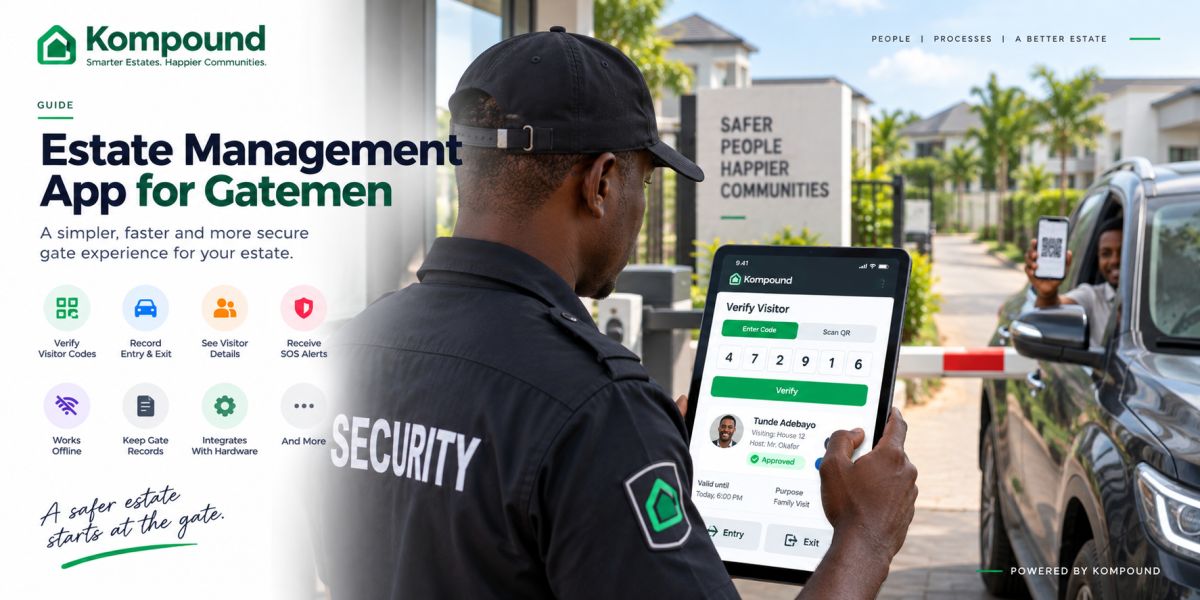
Your estate gate is not the place for complicated software.
Your gateman needs to answer a few questions quickly:
- Is this visitor approved?
- Who are they visiting?
- Is the access code valid?
- Has the person already entered?
- Should the person be allowed in?
- What happens if the network goes down?
If your gate app cannot answer those questions quickly, your security team will eventually fall back to phone calls, handwritten notes and guesswork.
A good gateman app should make your gate faster, clearer and easier to audit.
It should not turn your security officer into an IT technician.
What is a gateman app?
A gateman app is the security-facing part of an estate management system.
It gives your gate team a simple tool for handling access without giving them unnecessary access to your estate's full administrative records.
Depending on the platform, your gate app may allow your security team to:
- Verify visitor codes
- Scan QR passes
- See the resident who approved a visitor
- View relevant visitor details
- Record entry
- Record exit
- Receive emergency alerts
- Check access history
- Work with compatible boom barriers
- Continue operating during temporary network failure
The important part is not how many features appear on the screen.
The important part is whether your security officer can use them under pressure.
Your gate environment is different from your estate office
You should judge gate software differently from an admin dashboard.
Your security team may be working:
- In direct sunlight
- At night
- During heavy rain
- While several vehicles are waiting
- With motorcycles approaching
- With pedestrians arriving at the same time
- During a power interruption
- When the mobile network is unstable
That means your gate app needs to be designed for speed.
Small buttons, long forms and complicated navigation may look fine during a presentation.
At 7:00 p.m. with six cars waiting behind a visitor, they become a problem.
What your gateman should see
Your security officer does not need the same information as your treasurer.
A useful gate screen should focus on what security needs to make an access decision.
For a visitor, that may include:
- Visitor name
- Resident or host
- Visitor photo where applicable
- Pass status
- Entry or exit
- Expiry
- Relevant warning or restriction
The result should be obvious.
Approved.
Expired.
Invalid.
Already used.
Not found.
Your gateman should not need to interpret a complicated system message before deciding what to do.
1. Visitor-code verification should be fast
Visitor codes are useful because they move much of the approval process away from the gate.
The resident approves the visitor before arrival.
Your visitor arrives with a code.
Security enters the code.
The system confirms the visit.
Entry is recorded.
That is much cleaner than your gateman calling the resident every time someone arrives.
Kompound currently uses six-digit visitor codes that guards can type into the gate app, with the visitor's host and relevant details shown during verification.
Your gate app should make this process take seconds, not minutes.
2. QR scanning can make busy gates faster
Typing is not always the fastest method.
A QR visitor pass can allow your gateman to scan the visitor's credential directly from a phone.
That can be useful where:
- Traffic is heavy
- Visitors arrive frequently
- Security needs to reduce typing
- Your estate wants faster entry processing
A good platform can support both.
If typing a code is convenient, use it.
If scanning is faster, scan.
Kompound supports both code entry and QR verification in its gate workflow.
3. Your app should show who approved the visitor
Knowing someone's name is not enough.
Your security officer needs to know which resident is responsible for the visit.
That creates a stronger link between:
visitor → host → approval → entry record.
If something happens later, your estate should not be left asking:
> “Who let this person in?”
The record should already answer that.
Kompound's current visitor logs record the visitor, host, entry or exit time and the guard handling the access event.
4. Entry and exit should both be recorded
Many estates focus heavily on entry and barely track exit.
That leaves an incomplete record.
Your gate app should ideally let security record:
- Visitor entry
- Visitor exit
- Time
- Gate
- Security officer
- Pass used
This matters when management later needs to know whether someone actually left the estate.
It also gives you better information when reviewing a security incident.
5. Your gate app should work when the network does not
This is one of the most important things to test.
Do not ask only:
> “Does the app have offline mode?”
Ask:
> “Show me exactly what my gateman can still do when the internet goes down.”
Then test it.
Disconnect the network.
Try a visitor code.
Try recording entry.
Try recording exit.
See what happens.
Kompound says approved visitor information is held on the gate phone and supported access equipment so guards can continue checking authorised visitors during a connectivity interruption. Records created during that period reconcile when connectivity returns.
That type of behaviour matters because your estate does not stop operating simply because the network is unstable.
6. Your gateman should not have to improvise during an outage
When gate software fails, guards improvise.
That can mean:
- Calling residents
- Writing codes on paper
- Allowing known faces through
- Creating temporary handwritten logs
- Making decisions from memory
That is where your security procedure begins to weaken.
A reliable gate system should reduce the number of situations where your guard has to invent a workaround.
Your estate should already know:
- What works offline
- What does not
- How to handle a new visitor during an outage
- What happens when the connection returns
7. SOS alerts should reach the people who can act
If your residents can raise emergency alerts, your gate team may be one of the first groups expected to respond.
The app should clearly show:
- Who raised the alert
- Type of emergency
- Relevant location
- Whether someone has responded
- Whether the incident is still active
Kompound's current SOS workflow sends alerts to estate security and can include the resident's live location so guards know where assistance is needed. The alert remains active until it is resolved.
The important thing is not having an SOS button.
The important thing is having a response process your guards understand.
8. Gate records should not depend on handwriting
A handwritten security book can still have a place as an emergency backup.
It should not be your only record.
Digital gate records make it easier for management to review:
- Who entered
- Who left
- Who approved them
- Which guard processed them
- When the event happened
That can be particularly useful after a complaint or security incident.
Instead of searching through pages of handwriting, management can review an organised access history.
9. Your guards need their own accounts
Your estate should avoid situations where every security officer shares one administrator login.
You should know who performed important actions.
Where possible, your system should identify the security officer on duty.
This improves accountability without making the process complicated.
If your staff changes, remove the old access and create the correct access for the new officer.
Your estate's records should not depend on one shared password being passed from guard to guard.
10. Keep financial information away from the gate
Your gateman does not need access to your full estate finances.
Security may need to know whether a particular access rule applies.
That is different from giving them access to:
- Resident payment history
- Estate bank information
- Financial reports
- Full administrative records
A well-designed estate platform separates roles.
Kompound currently separates its resident app, gate app and admin panel so each user group sees the tools relevant to its job.
That is the approach your estate should look for.
11. Make access warnings obvious
Some visitors may need additional attention.
For example:
- Expired access
- Revoked pass
- Watchlist match
- Reused one-time credential
- Access outside the approved period
Your security officer should not need to search through several screens to discover that information.
The warning should appear before access is granted.
Kompound currently includes visitor watchlist alerts in its gate and visitor-access workflow.
12. Your gate app should work with hardware when you need it
You do not need a boom barrier simply because you have a gate app.
You can begin with your current security team and a gate phone.
If you later want more automation, the same estate system may be able to work with compatible hardware such as:
- Boom barriers
- Keypad terminals
- QR scanners
- Face-recognition units
- Pedestrian gates
- Other access terminals
Kompound says its system can run on a gate phone on its own and can also connect to supported access-control hardware.
Start with the process.
Add hardware when it solves a real problem.
What your gateman does not need
Do not overload your security team with features that belong elsewhere.
Your gateman usually does not need to:
- Manage estate finances
- Configure billing
- Change resident dues
- Send estate-wide announcements
- View sensitive payment records
- Edit high-level administrator settings
Your guard's job is already demanding enough.
The app should help with security and gate operations.
Everything else should stay with management.
How to test a gateman app before you buy
Do not only watch the vendor demonstrate it.
Give the device to one of your actual guards.
Then ask them to complete a few simple tasks.
Test 1: Verify a visitor
Give the guard a valid code.
See how long it takes.
Test 2: Try an invalid code
The response should be obvious.
Test 3: Record an exit
Check whether it is as simple as recording entry.
Test 4: Turn off the internet
See what your security team can still do.
Test 5: Send an emergency alert
Make sure the guard understands what appears and what they are expected to do next.
Test 6: Change security personnel
See how quickly you can remove one user and add another.
These tests tell you more than a long feature presentation.
Common mistakes estates make
Buying software your guards cannot use
A system that is too complicated will eventually be bypassed.
Giving security too much access
Your gateman needs gate information, not every estate record.
Ignoring network outages
Test offline behaviour before you commit.
Leaving guards untrained
Do not simply hand them a phone and expect everything to work.
Using one shared admin account
You lose accountability.
Automating a poor gate procedure
Technology cannot fix unclear rules.
Decide who can enter, who can approve visitors and how exceptions work first.
Forgetting pedestrians
Your vehicle lane may be automated while your side gate remains uncontrolled.
Your security procedure should cover every entrance.
How Kompound works at your gate
Kompound's gate app is designed specifically for your security team.
Your gateman can use it to:
- Verify six-digit visitor codes
- Scan visitor QR passes
- See the resident hosting the visitor
- View relevant visitor information
- Record entry
- Record exit
- Receive SOS alerts
- Continue checking approved visitors during connectivity interruptions
Kompound describes the gate interface as intentionally simple, with large controls and clear access results so guards can make decisions quickly in real gate conditions.
Where your estate wants more automation, the same platform can work with compatible boom barriers, keypads, QR scanners and other access-control equipment.
The objective is not to remove your security team.
It is to give them a better tool.
See Kompound working at your actual gate
If your gatemen still depend on phone calls, handwritten visitor books or memory to decide who should enter, you do not need to guess whether a digital gate system would work for you.
Let us show you.
We can walk your EXCO, estate manager and security supervisor through the full gate process:
resident creates pass → visitor arrives → gateman verifies → entry is recorded → visitor exits.
We can also show you what happens when the network is interrupted, so you can see the offline workflow before making a decision.
Frequently asked questions
What is a gateman app?
A gateman app is a security-focused application used at an estate gate to verify visitors, record access and support other security operations.
Can your gateman verify visitors without calling residents?
Yes, if the resident has already approved the visit.
The gateman can verify the visitor's temporary credential instead of calling the resident for every arrival.
Can a gate app work without internet?
That depends on how the platform is designed.
If offline access matters to your estate, ask the vendor to demonstrate what happens during an actual network interruption.
Does every gateman need a smartphone?
Your gate needs a supported device, but that does not necessarily mean every guard needs a personal smartphone.
Many estates use a dedicated gate phone or tablet for the security team.
Can a gate app control a boom barrier?
Yes, where the software and barrier controller are compatible.
This can allow a verified access event to trigger the barrier automatically.
Can your gate app record exits?
It should.
A useful visitor-management system should give your estate both entry and exit records.
Can your gateman see residents' financial records?
They generally should not need to.
A properly designed system separates gate permissions from financial and administrative access.
Can you use a gate app without installing a boom barrier?
Yes.
A gate app can work with your existing security team and manual gate arrangement.
Automation can be added later if your estate needs it.
The simple test
Your gateman should not have to fight the software.
They should be able to:
check the visitor, understand the result, record the movement and keep the gate moving.
If your gate app does those things reliably — including on a bad network day — it is doing the job you bought it for.